
WhatsApp is a widely used messaging app, offering many features. The meta-owned messaging app normally lets you start chats from contact, but you don’t always need to save a phone number first. You can use WhatsApp’s click to chat feature, message yourself, open a group participant’s chat or use a few other methods to contact an unsaved number. For many users, saving every contact is unnecessary and clutters the contact list.
Below are several ways to send a WhatsApp message without adding contact. Here, I will explain four methods to send messages without adding contacts.
Method 1: Create a Click-to-Chat Link to Send Messages
WhatsApp has an official feature called Click-to-Chat, which allows you to send a message without saving the contact number. This feature works through a browser, and it’s a quick and easy way to send a message. Here’s how it works:
1. Open a web browser on your phone or computer.
2. Type this link: https://wa.me/919876543210.
3. Replace “phone-number” with the number you want to message.
4. Make sure you enter the correct country code without symbols like “+” or “-“.
For example, to send a message to an Indian number, you will type something like this: https://wa.me/919876543210. Here, “91” is the country code for India, and “9876543210” is the phone number. Once you do this, the WhatsApp chat window will open for that number.
This method is very helpful for people who frequently need to send messages without saving numbers. However, if the number is not registered on WhatsApp, you will get an error message saying the number is not on WhatsApp.
Method 2: Message Yourself on WhatsApp
One simple way to send a WhatsApp message without saving the number is by messaging yourself. This method is helpful if you often need to send quick messages to unsaved contacts.
1. Open WhatsApp and find your chat labeled “(You)”.
2. Type or paste the unsaved contact number in the chat.
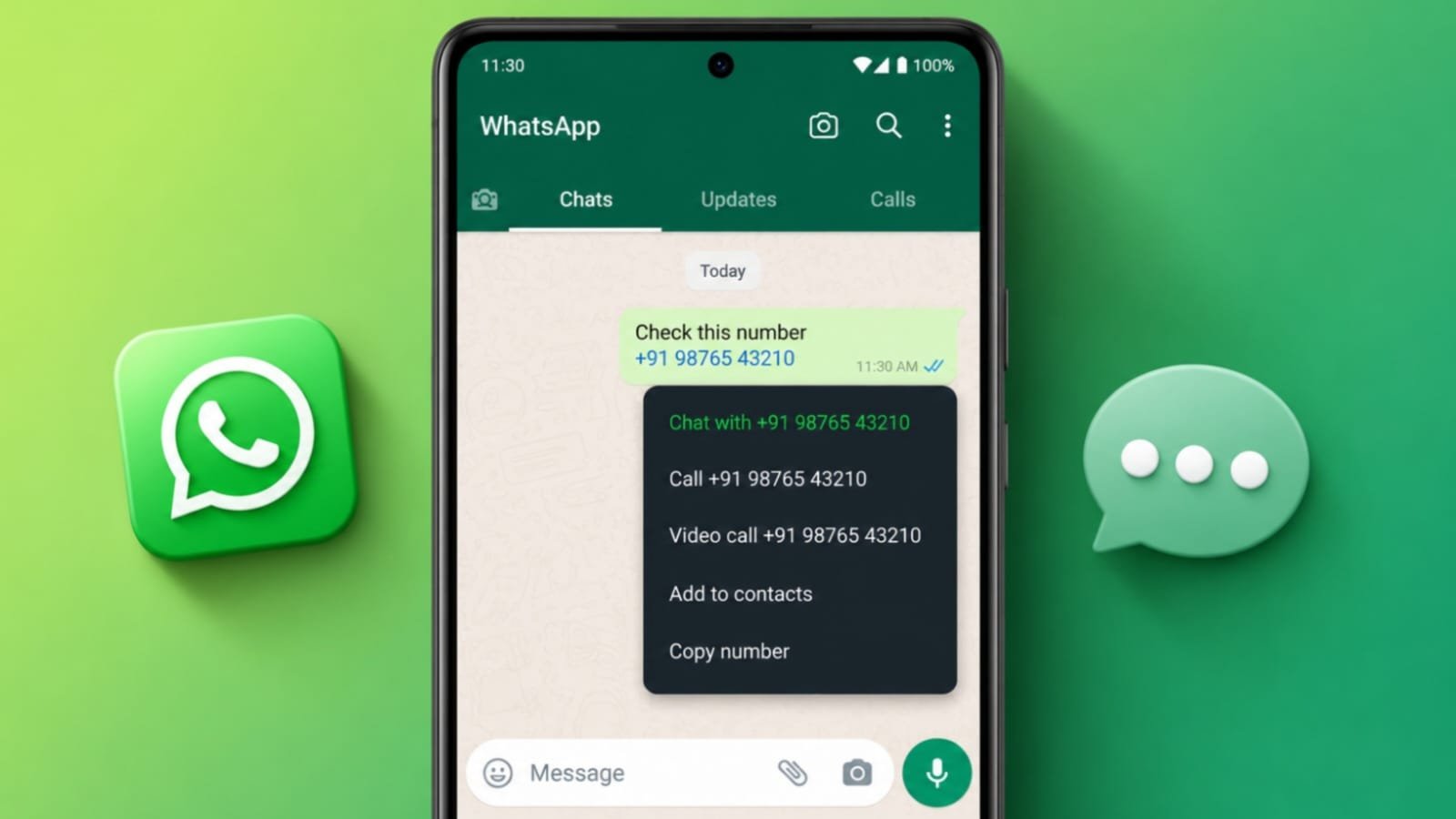
3. The number may appear as a blue, clickable link in the message.
4. Tap on the number and select “Chat with [919876543210]”.
By using this method, you can quickly send a message without saving the number in your contacts. This method also helps you keep track of your messages for future reference.
Method 3: Send a Message to an Unsaved Number in a WhatsApp Group
If you are part of a WhatsApp group, this method is useful. You can send a message to someone in the group without saving their number. Here’s how you can do it:
1. Open the WhatsApp group chat where the person is a participant.
2. Look for the unsaved number in the group messages.
3. Tap on the number when you see it in the chat.
4. A pop-up will appear; tap on the message icon.
If you can’t find the number in the messages, you can still send a message. Follow these steps:
1. Tap on the group name at the top of the chat.
2. Scroll through the list of group members to find the unsaved number.
3. Tap on the number and select “Message [number]”.
This method lets you message group members without needing to add them to your contacts, which is very useful in large groups. Only message group participants privately when there is a legitimate reason to contact them, and avoid repeated messages.
Method 4: Send WhatsApp Messages Using Truecaller
Truecaller is a popular app used for blocking spam calls and identifying unknown numbers. It also provides an option to send WhatsApp messages to numbers without saving them. Here’s how:
1. Download Truecaller from the Google Play Store.
2. Open the app and paste the unsaved number into the search bar.
3. Truecaller will search for available information about that number.
4. Once you see the contact information, tap on the name.
5. On the contact details page, select WhatsApp to send a message.
This method is helpful for users who already use Truecaller for managing calls. It saves time and allows you to message people without adding them to your phone’s contacts.
The Final Words
WhatsApp’s Click-to-Chat feature is the simplest option when you already know the phone number because it works without installing another app. You can also use your own WhatsApp chat or open a group participant’s private chat without saving the number. Android users who already use Truecaller can use its WhatsApp shortcut as another option.