
Many users forget their Instagram login details or lose access after suspicious account activity. Fortunately, Instagram provides built-in password reset and account recovery options.
You can normally reset your password using the email address, phone number, or username connected to your account. If you no longer have access to those details, Instagram may provide additional identity-verification options depending on your account and situation.
Key Takeaways
- You can reset an Instagram password using the app or website.
- Instagram may offer additional account recovery options if you lose access to your email or phone number.
- Two-factor authentication and a strong, unique password can help protect your account from unauthorized access.
Reset Instagram Password Using App or Website
Open the Instagram app or website and go to the login screen.
Tap or click Forgot password?
Enter the username, email address, or phone number associated with your Instagram account.
Choose the available option to receive a login link or password-reset instructions.
Instagram will send the recovery information to the email address or phone number connected to your account.
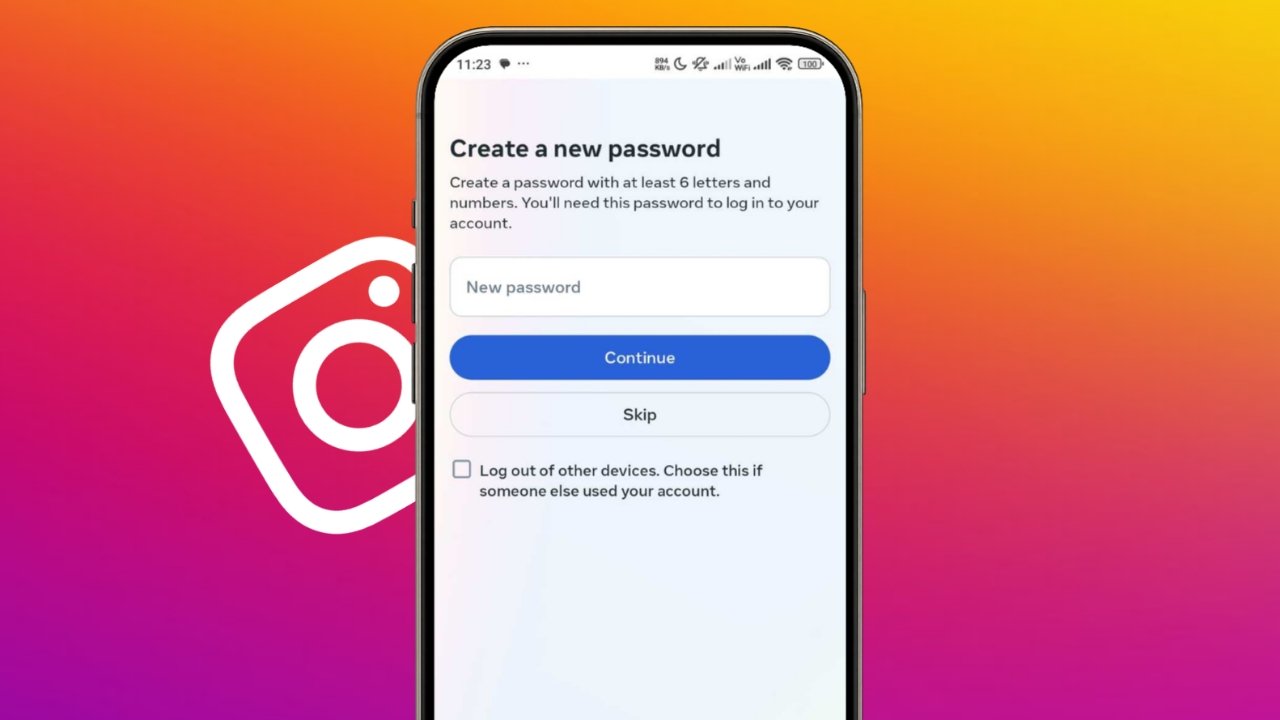
Open the message from Instagram and follow the instructions to create a new password.
Choose a strong password that you do not use for another account.
After resetting the password, sign in again using your new credentials.
The basic recovery process is similar on Android, iPhone, and the Instagram website, although the wording of individual buttons may vary slightly.
Using a trusted password manager can also help you create and store a unique password securely.
Reset Instagram Password Without Access to Email or Phone
Account recovery becomes more difficult if you no longer have access to the email address or phone number associated with your Instagram account.
From the Instagram login screen, enter your username and follow the available Forgot password? or account-recovery options.
If Instagram detects that additional verification is required, it may ask you to provide more information to confirm your identity.
For accounts that contain photos of you, Instagram may offer video selfie verification. You may be asked to record a short video while turning your head in different directions.
Instagram reviews the video to help confirm that you are the account owner. If the verification succeeds, Instagram can send a password-reset link to a secure email address you provide.
Video selfie verification is not guaranteed to appear for every account or recovery attempt.
If you believe your account has been hacked, use Instagram’s official hacked-account recovery process rather than relying on unofficial recovery services.
Instagram may also provide different recovery options depending on your account history, available contact information, and the type of problem detected.
Change Your Instagram Password While Logged In
If you still have access to your account and simply want to change the password, open Instagram and go to your account settings.
Depending on the current interface, you may see Accounts Center or the newer Meta Account settings.
Open:
Password and security → Change password
Choose your Instagram account if prompted.
Enter your current password, then create and confirm the new password.
Use a strong and unique password that is not shared with your email account, Facebook account, or other online services.
Update Your Recovery Email or Phone Number
Keeping your recovery information current makes future account recovery easier.
While logged in, open your account settings and go to the section for your personal details or contact information.
Add or update an email address or phone number that you can currently access.
Instagram may send a verification code or confirmation message before accepting the new contact information.
If you change the email address associated with your Instagram account, Instagram may also notify the previous email address about the change.
Improve Instagram Account Security
Resetting the password is only one part of protecting an Instagram account.
After recovering your account, review your security settings and make sure there are no changes you do not recognize.
Enable Two-Factor Authentication
Instagram supports two-factor authentication for additional login protection.
Open your Instagram settings and go to:
Accounts Center or Meta Account → Password and security → Two-factor authentication
Choose your Instagram account and select an available verification method.
An authentication app is a strong option because it generates login codes separately from your Instagram password.
After enabling two-factor authentication, save your recovery codes somewhere secure.
Follow These Security Tips
- Use a unique password for Instagram.
- Enable two-factor authentication.
- Keep your recovery email address and phone number updated.
- Save backup or recovery codes somewhere secure.
- Review login activity for devices you do not recognize.
- Do not share login codes or recovery links with anyone.
- Avoid websites or apps that claim they can recover an Instagram account for you.
- Be careful with messages pretending to be Instagram support.
Instagram and Meta will not need your password simply to provide account-support information.
What to Do if Your Instagram Account Was Hacked
If someone changes your password, email address, or other account information, use Instagram’s official account-recovery tools as soon as possible.
The recovery process can vary depending on what information the attacker changed.
Instagram may ask you to:
- Confirm your email address or phone number
- Verify recent account information
- Complete additional identity checks
- Record a video selfie where available
- Create a new password
- Review security settings after regaining access
Meta has also introduced newer account-support and recovery tools that adapt the recovery process to the specific problem detected.
After recovering the account, immediately review your password, two-factor authentication, contact information, and logged-in devices.
The End Note
Resetting an Instagram Password is usually straightforward when you still have access to the email address or phone number connected to your account.
If those recovery methods are unavailable, Instagram may provide additional identity-verification options, including video selfie verification for eligible accounts.
After regaining access, create a strong unique password, enable two-factor authentication, update your recovery information, and review your account for unfamiliar activity.
Always use Instagram and Meta’s official recovery tools instead of third-party account-recovery services.
Sources
Instagram Help Center — Reset your Instagram password
Instagram Help Center — Lost access to email address or phone number linked to Instagram account
Instagram Help Center — Video selfie identity verification
Meta — Making it Easier to Access Account Support on Facebook and Instagram
Meta — Meta Account: The Simpler Way to Access Your Apps and Devices